Problem
If the parents or guardian are not appearing on a Juvenile Allegation, follow these troubleshooting steps to get the information to appear on the form.
Cause
There are a few possible reasons why this information may not be appearing. Refer to the Resolution section below for troubleshooting steps.
Resolution
Follow the steps below to fix this issue.
Make sure you have the correct codes configured in your selection lists
The Juvenile Allegation uses specific relationship type codes for the relationships shown on a juvenile allegation. These codes need to be configured in your selection lists if they are not already.
- Open Administration and go to Update > Selection Lists.
- Select Person Relationship Type on the left-hand side.
- Make sure you have selection list entries for the following (add these entries if they are missing):
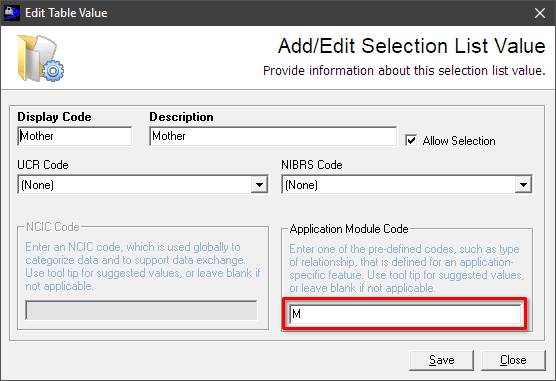
Display Code Description Application Module Code Mother Mother M Father Father F Guardian Guardian G
The Application Module Code field is used to determine the type of relationship on the Juvenile Allegation form: these codes (M, F, and G) must be entered in uppercase. For example, the entry for "Mother" should look like this (with Application Module Code highlighted):
Make sure the parents or guardian are listed as Associates in the Incident
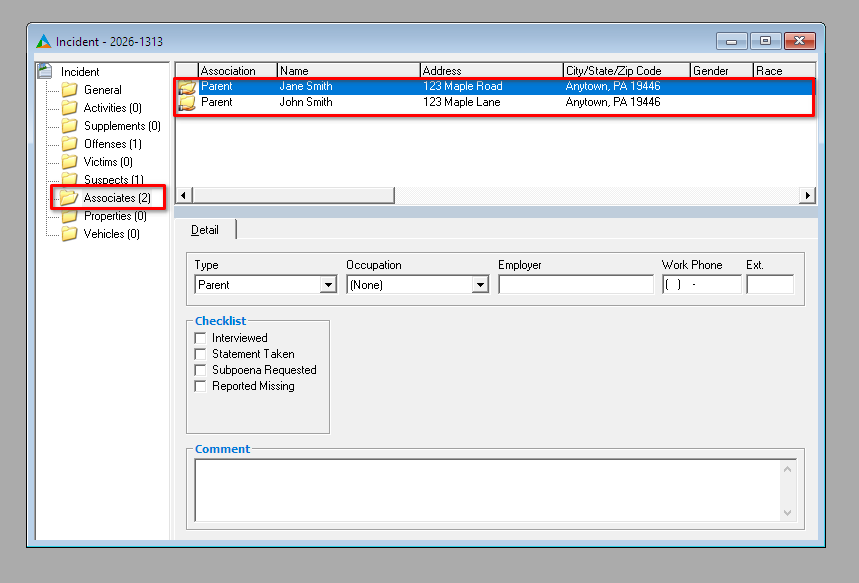
In the Incident record, ensure that both parents or the primary guardian are listed as associates on the Associates tab in the Incident record:
Make sure the associates are related to the suspect
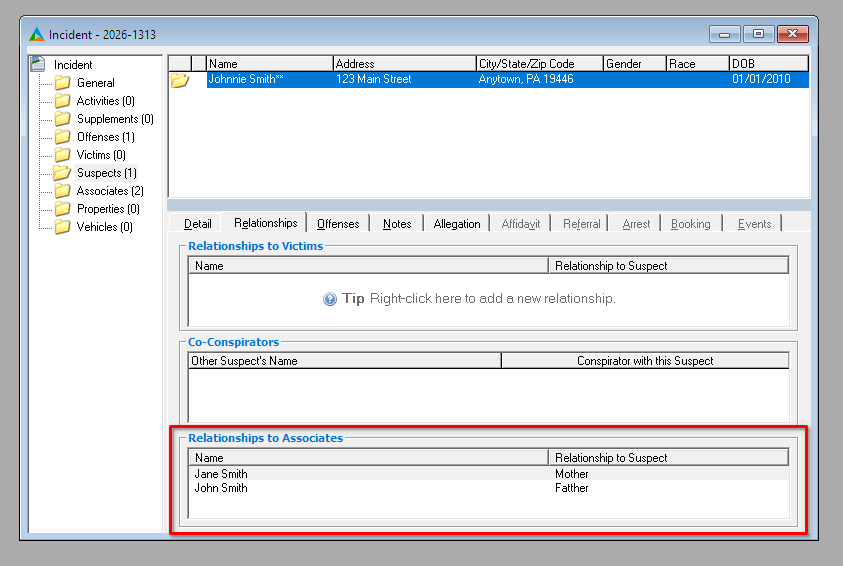
On the Suspects tab, select the suspect and click the Relationships tab, and ensure the parents or guardian are listed under Relationships to Associates with the appropriate relationship:
To add a relationship (if needed):
- Right-click the Relationships to Associates area, select Add Relationship.
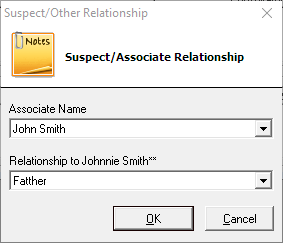
- Select the associate in Associate Name and their relationship to the suspect under Relationship to {suspect}, then click OK.