
Use this guide to securely send files to our support team.
How to send files to our support team
- Click this link to open the upload page (the page will open in a new tab): Upload files to the Informant Support Team
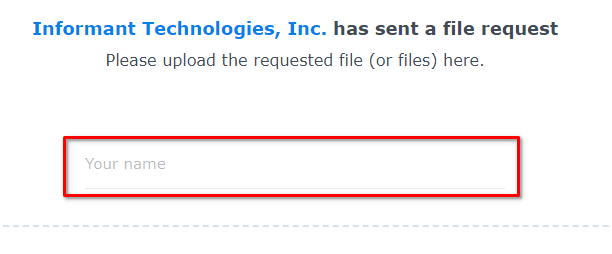
- Enter the name of your department in the Your name field:
- Drag the requested files into the designated area, or click Add Files and select the file(s).
- Click Upload to submit the file(s).
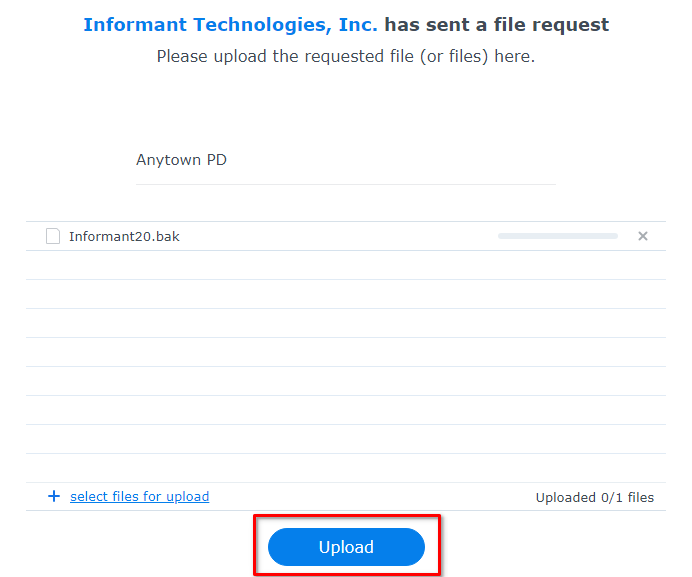
- Wait for the file(s) to upload.
Note: If you have trouble uploading your files using this method, you can also mail your files to us on an encrypted drive. See Alternative methods for very large files.
Our team will be notified automatically when your files are submitted.
Alternative methods for very large files
If you have a very large file and are unable to upload it due to timeouts or because of a slow Internet connection, there are a few other options for sending larger files.
Via SFTP
We can provide you with an Secure FTP (SFTP) account for you or your IT to send large files directly to us. You can use free software, such as WinSCP,, to connect to our SFTP server and upload larger files that cannot be uploaded through our regular upload portal.
Via an encrypted drive sent through the mail
- Copy the file or files to a removable USB drive (make sure the drive is large enough for the file(s)).
- Encrypt the drive and password-protect it using the instructions here: How to encrypt and password-protect a USB flash drive step-by-step
- Securely package the drive in an envelope or small box and mail it to:
Informant Technologies, Inc.
1571 Sumneytown Pike
Lansdale, PA 19446 - We'll notify you when we receive the drive, at which point you'll provide us with the password needed to decrypt it.
- After we've copied the contents of the drive, we'll mail the drive back to you. In the case of data migration, we may place the migrated database backup and related files on the drive before mailing it back to you.