
Informant 3.32 is the latest major update to Informant and contains many improvements and changes. Take some time to explore the new features in this release below.
You can download the installer for this release here: Download Informant
Note: If you're currently running release 3.32, check the Updates section for information about recent updates for the 3.32 release to ensure you have the most up-to-date version of this release.
New feature spotlight: TasksAvailability: Enhanced, Elite, and Enterprise editions | ||
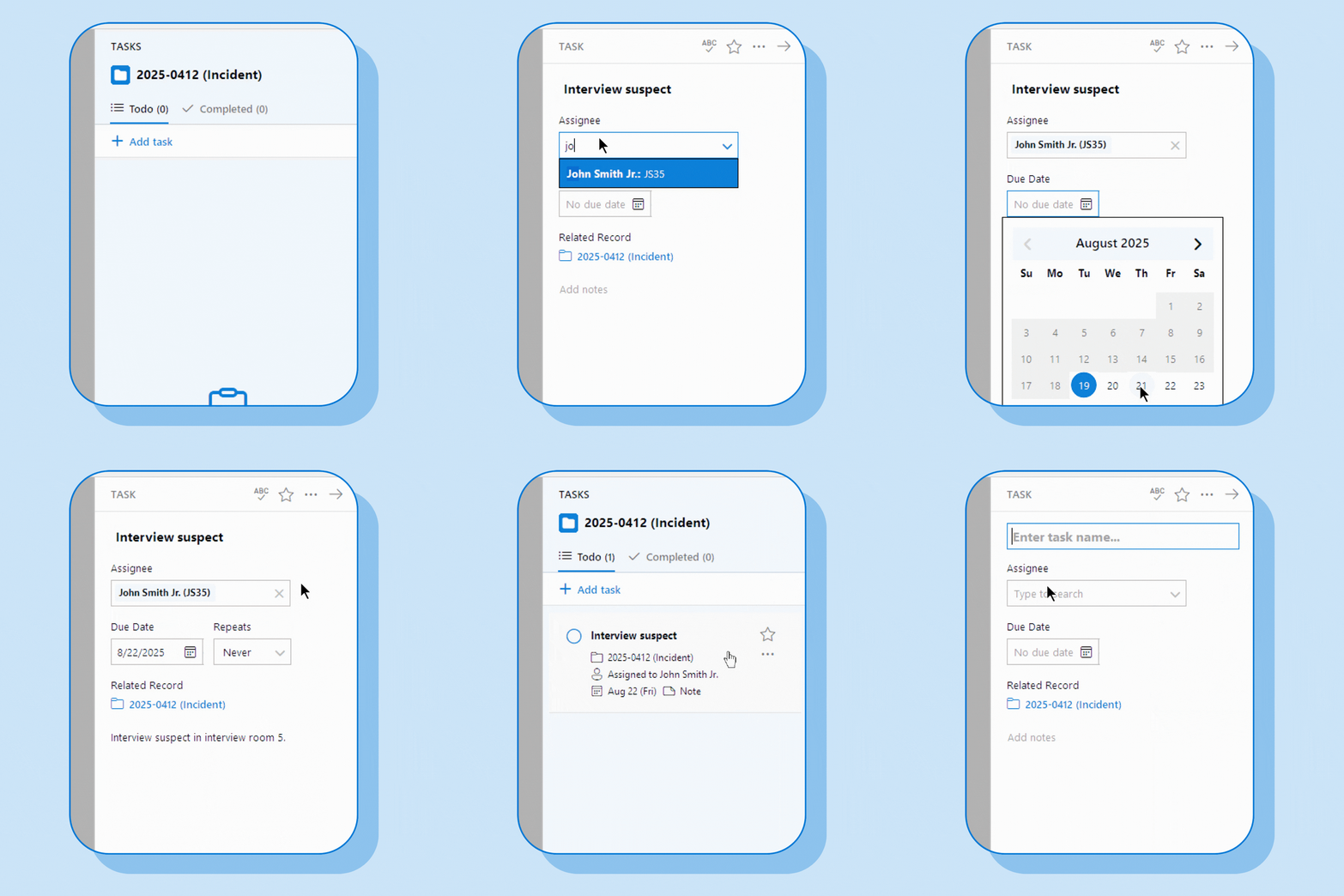 | ||
Starting in 3.32, in our Enhanced edition and above, the new Tasks sidebar in Informant lets you easily view, create, and manage tasks for yourself and others, including adding tasks to any record in Informant across all modules. This powerful new feature makes managing your department's workload much easier while improving accountability and collaboration. Here are just some examples of what's possible with the new Tasks feature:
| ||
Other noteworthy changes: Here's what else is new in this releaseIn addition to Tasks, this update contains several other notable enhancements and new functionality. | ||
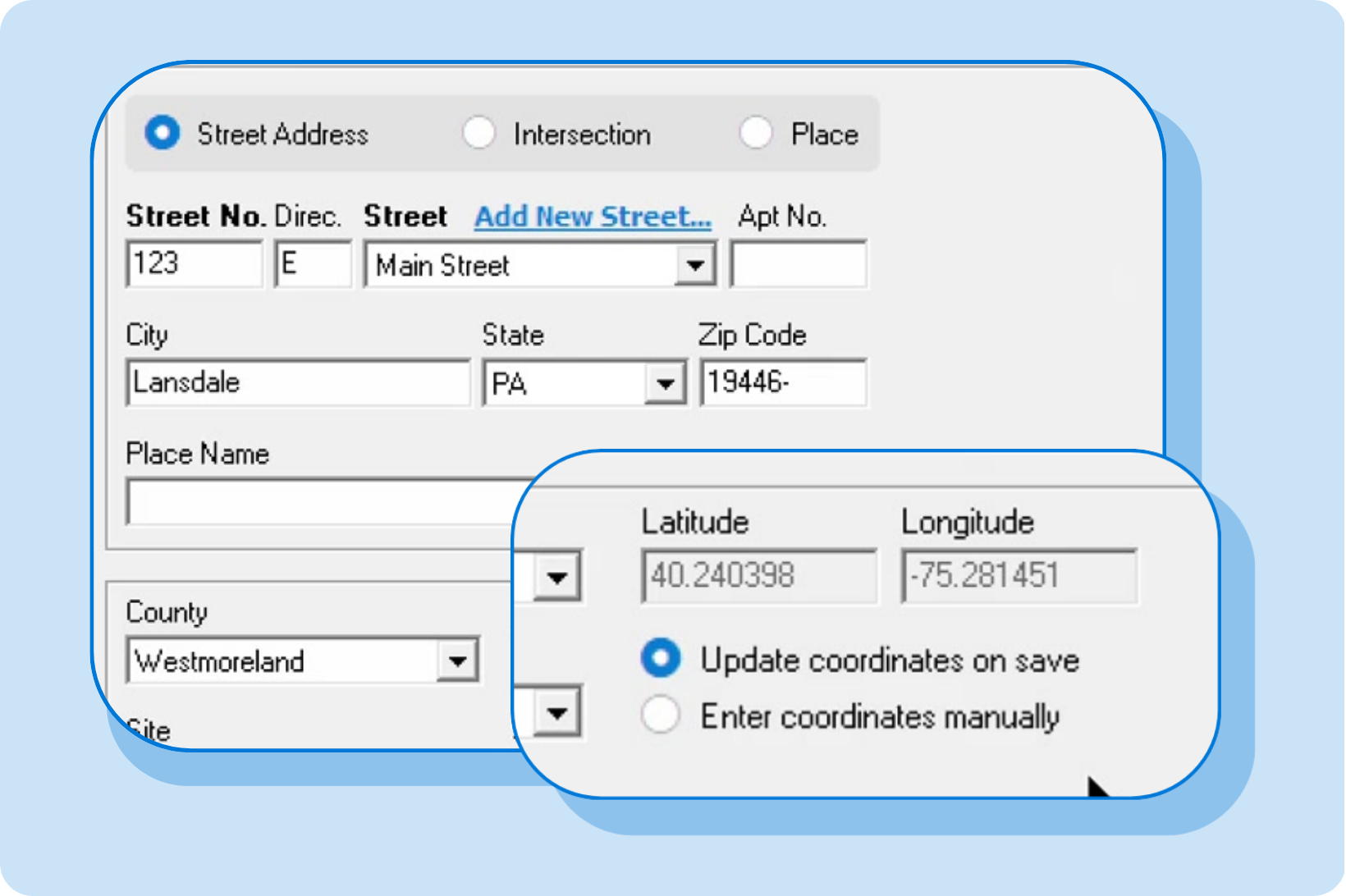 | Auto-populate latitude and longitudeInformant's new Geocoding feature automatically fills in the Latitude and Longitude in Location records when it recognizes the address or intersection. This feature helps you keep accurate location information in Informant and is essential in states where NIBRS reporting requires this data. Availability: Enhanced, Elite, and Enterprise editions | |
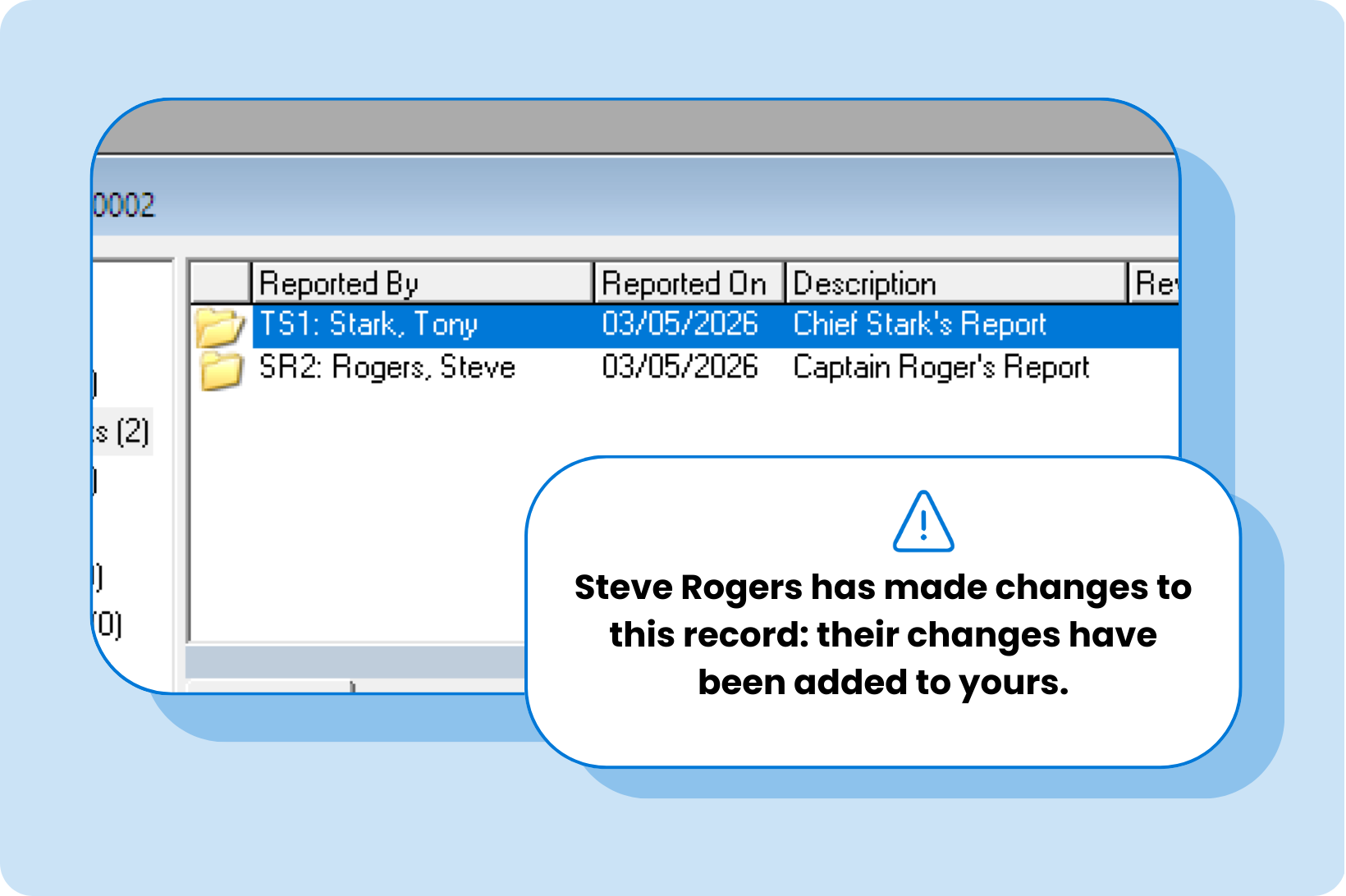 | Edit records simultaneouslySometimes you've finished a long narrative or made other edits to a record, but can't save your changes because another user also made changes. Now, when Informant detects that another user has changed a record, their changes and yours are combined. | |
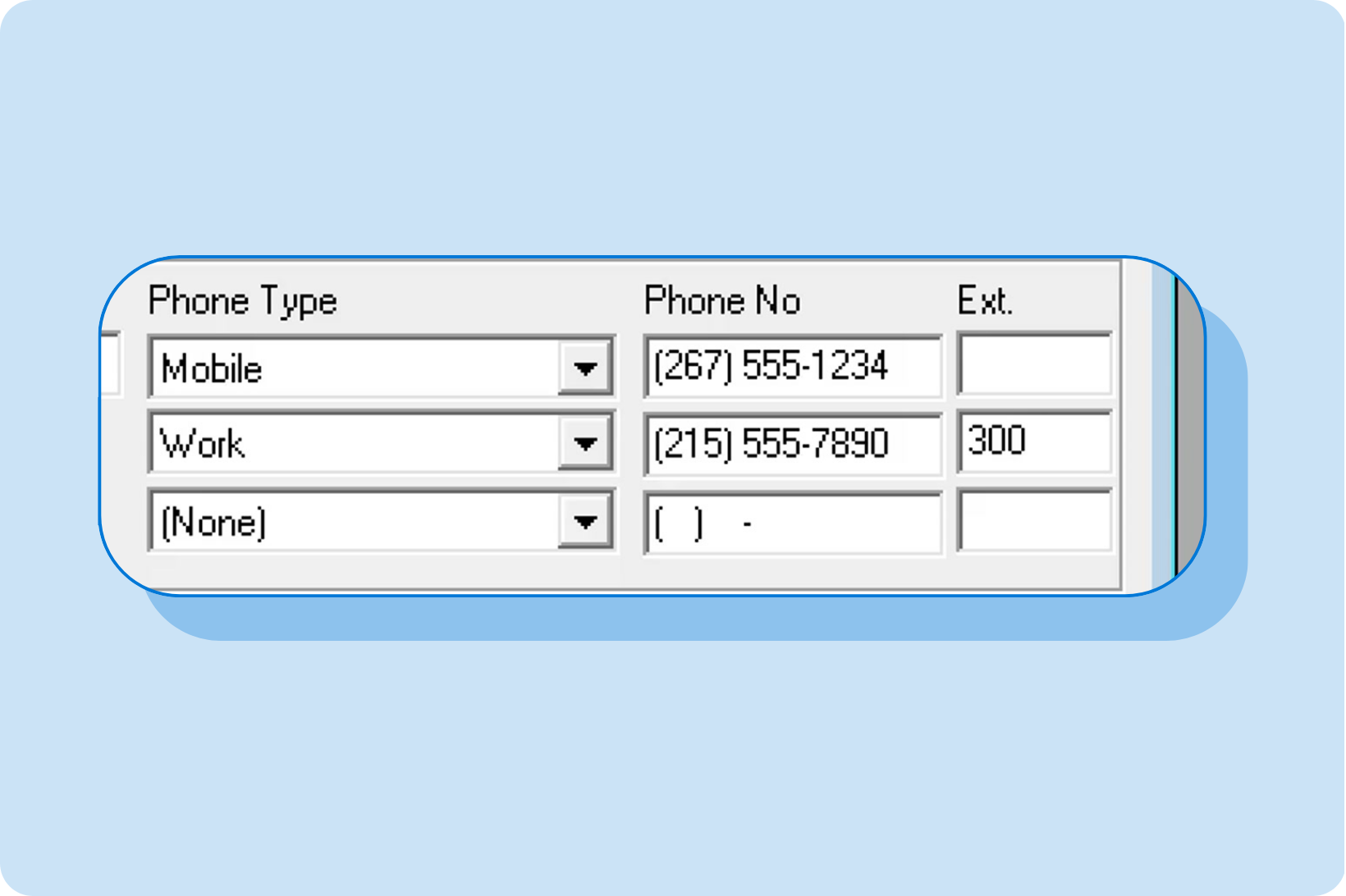 | Add extensions to phone numbersAll phone number fields in Informant now include an Ext field for entering an optional extension (up to 4 digits), and extensions also appear on all reports that display phone numbers. | |
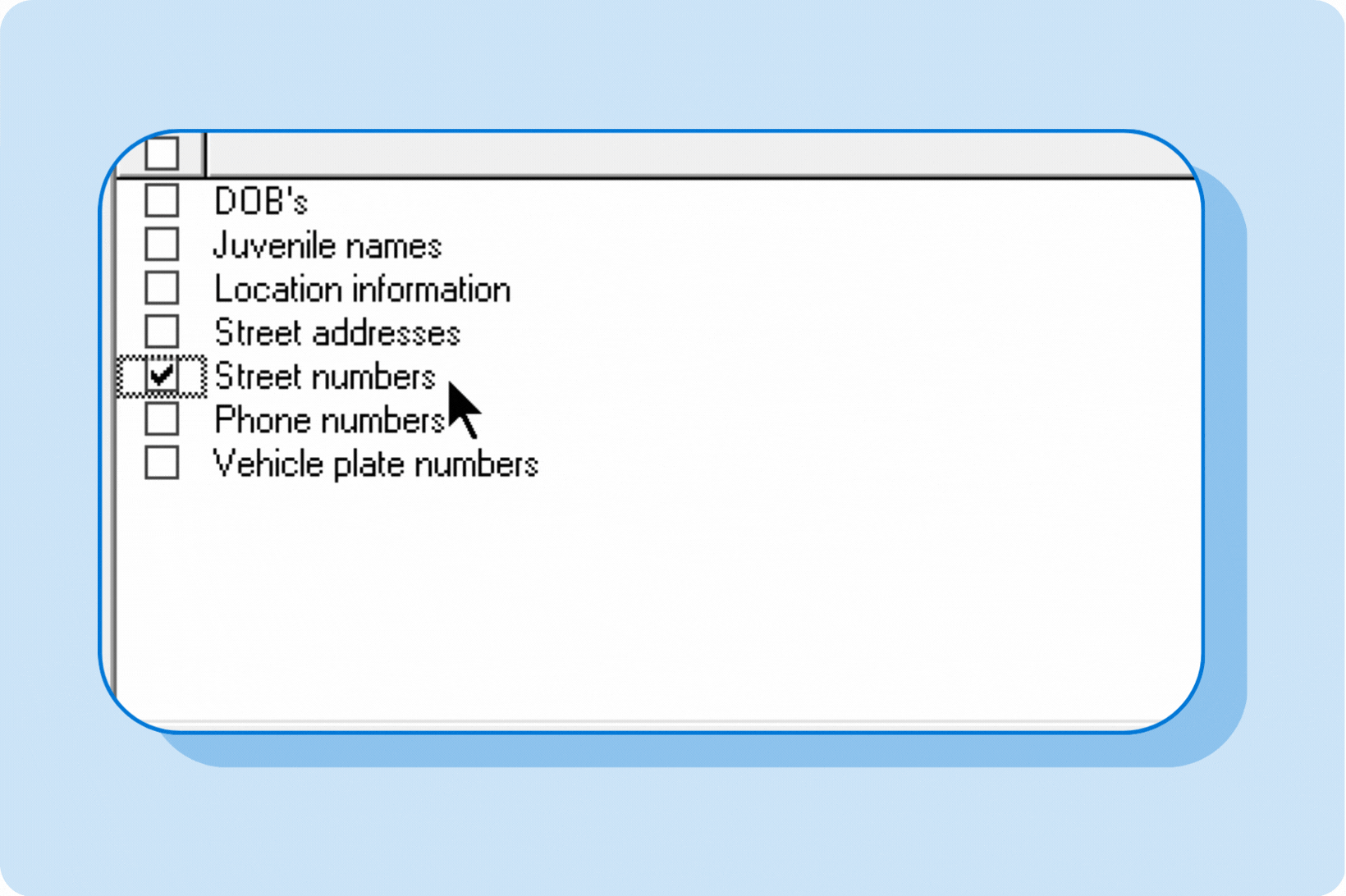 | Redact street numbers in reportsAs an alternative to redacting full street addresses in reports, users can now redact the street numbers in addresses via the new "Street numbers" option in the Hide Data tool, keeping street names visible in reports without identifying individual homes/locations. | |
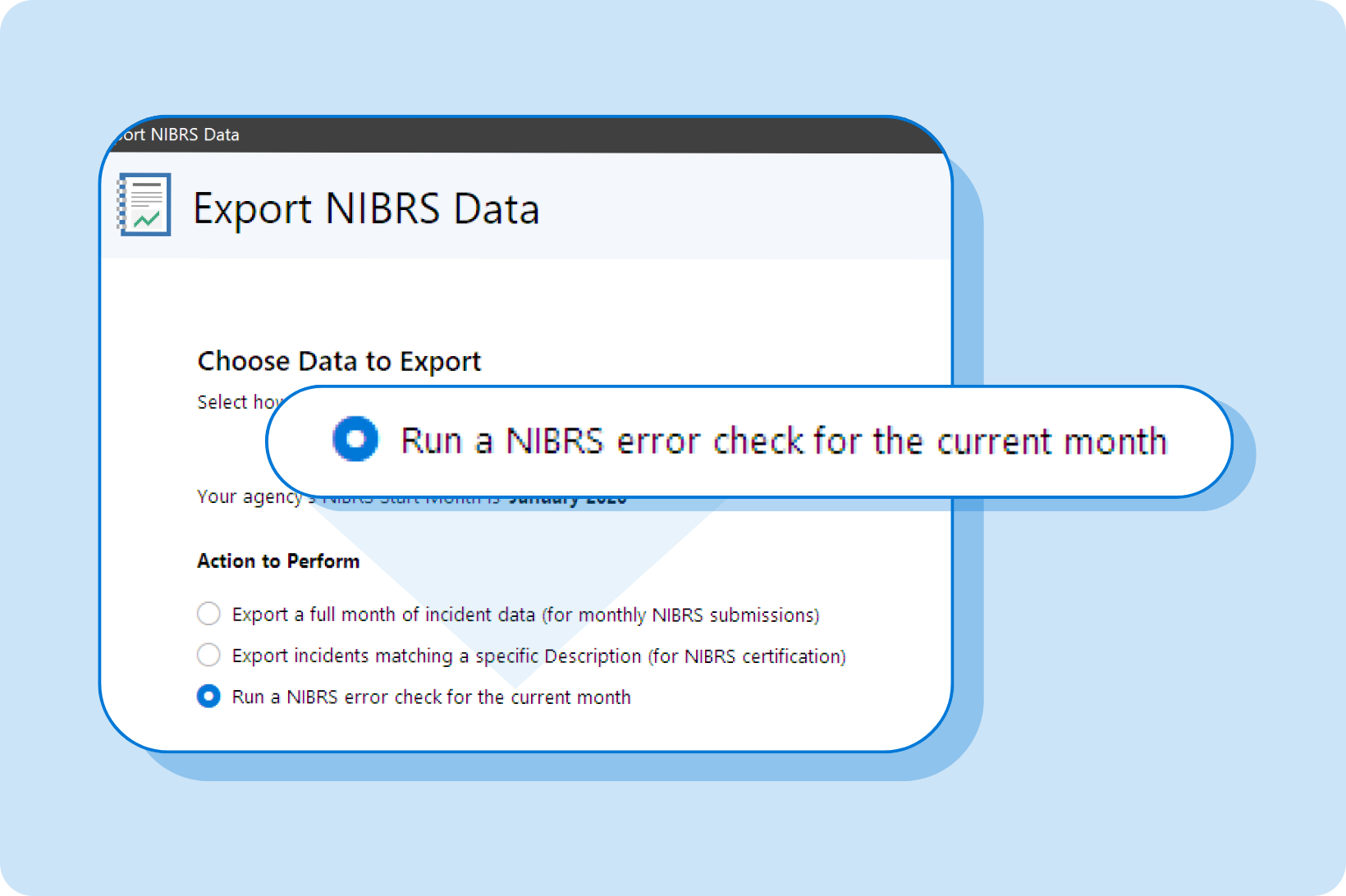 | Find and fix NIBRS errors earlyThe Export NIBRS Data wizard has a new option (Run a NIBRS error check for the current month) that finds and reports NIBRS issues in incident records entered or updated since the start of the month. This lets records staff proactively review and fix NIBRS data entry errors as often as needed before the month's submission is due. | |
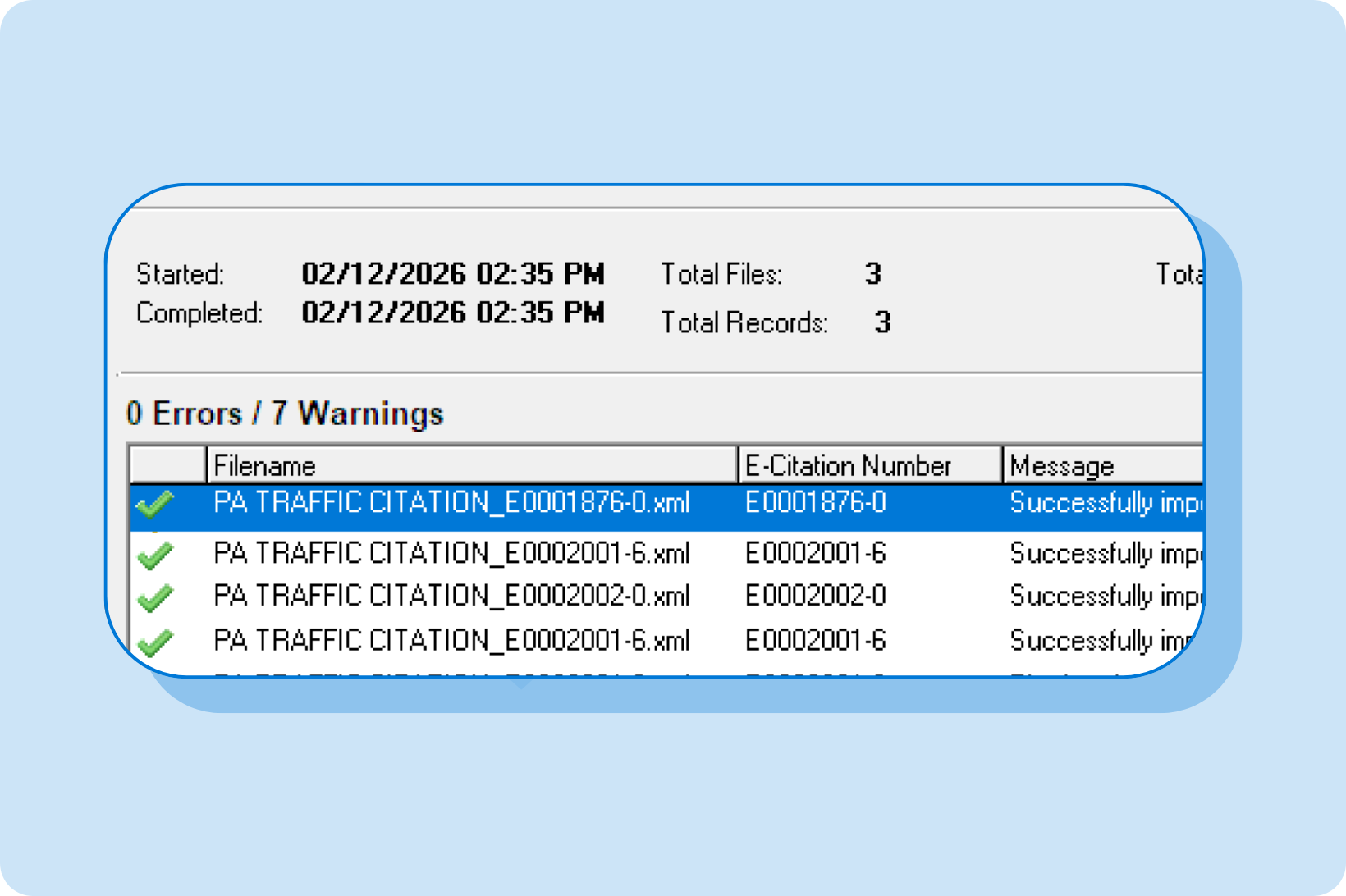 | Import more data from TraCSThe E-Citation Interface is now even more streamlined:
| |
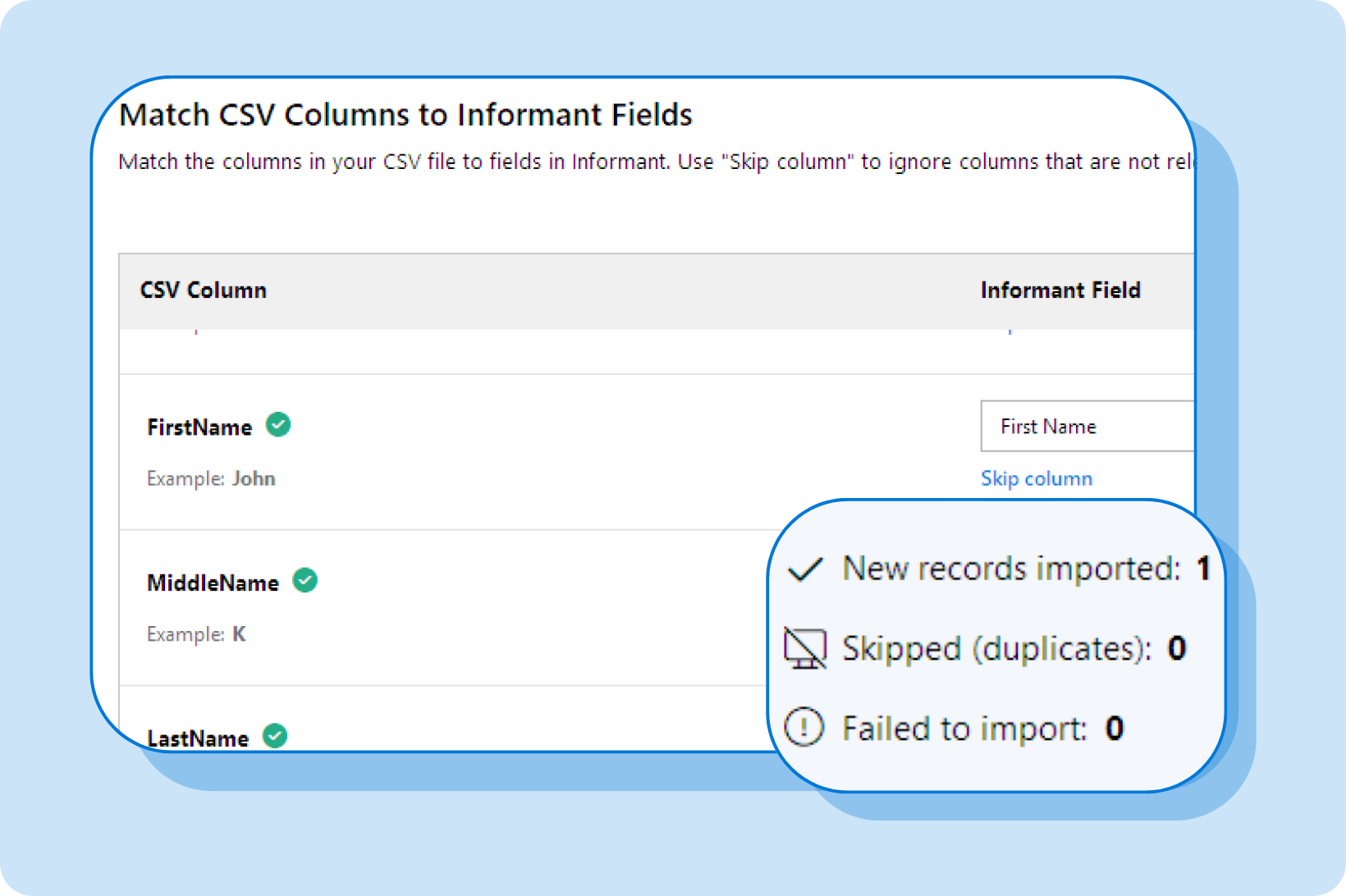 | Import Person records from a CSV fileThe new Import Person Records feature under Tools in Administration lets you import Person records from a CSV file, making it easy to import records from a student information system or another RMS. | |
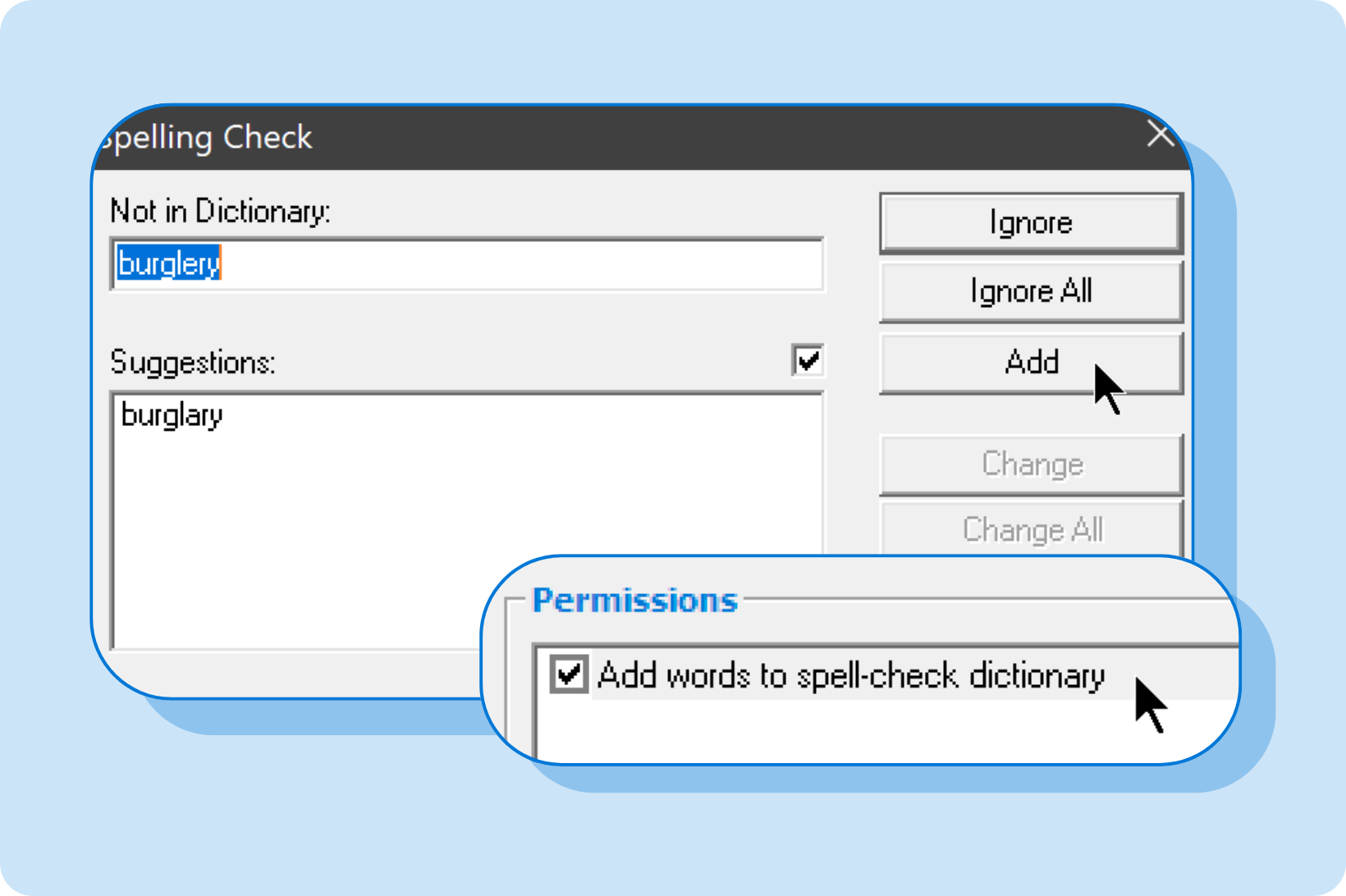 | Manage access to Informant's spell-check dictionaryThe new <General> | Add words to spell-check dictionary permission allows administrators to control which user groups can add words to Informant's spell-checker when working in records. | |
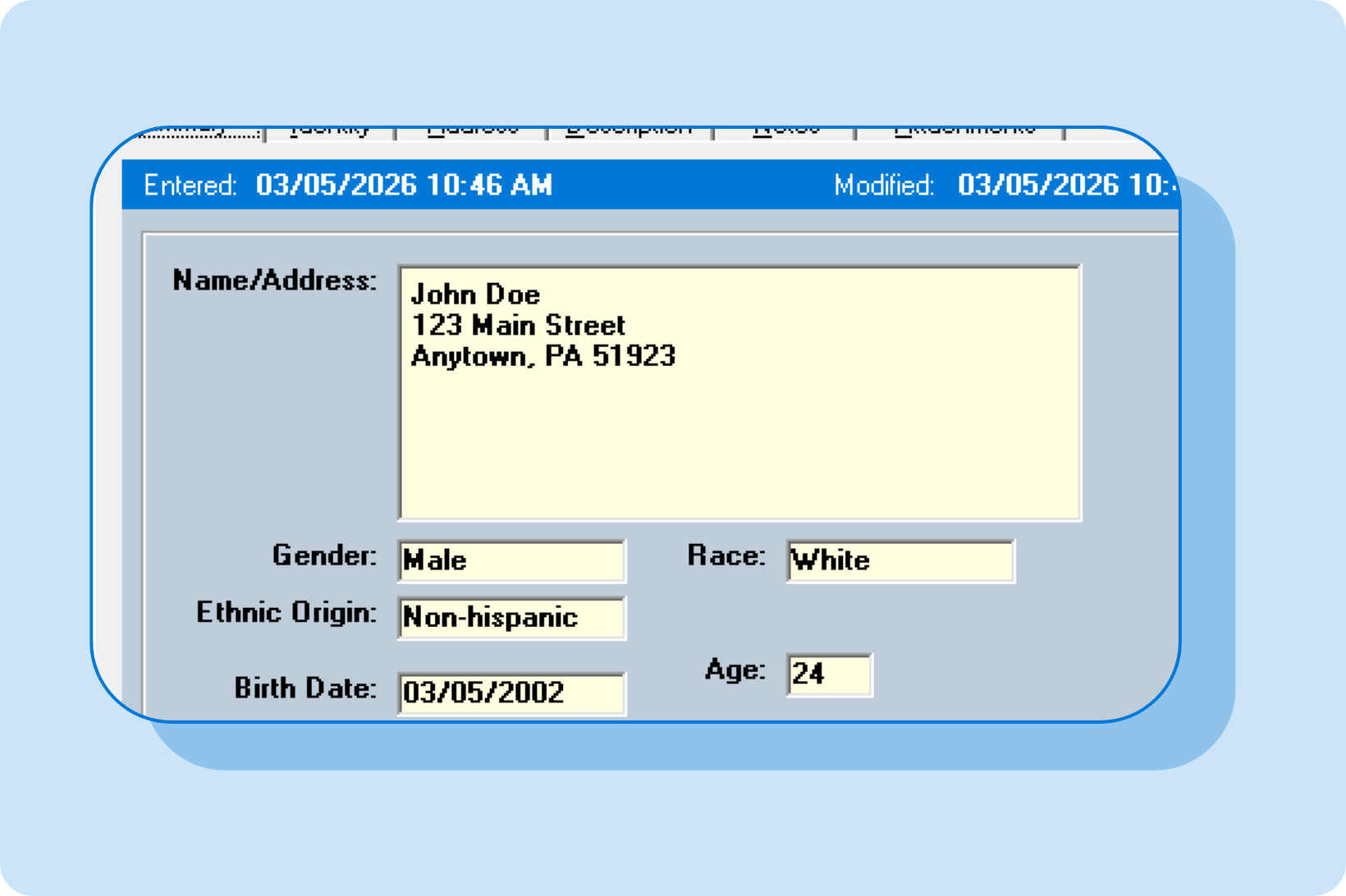 | Master index records now load fasterMaster index records with a large amount of history in the History tab now load more quickly. This means your most-used master index records will open faster. | |
New add-on: Multi-Database Access
Our new Multi-Database Access add-on is designed for situations where two or more departments share the same server or the same computer network, but operate as separate agencies. This is useful in several scenarios:
- A university with multiple campuses, each operating its own police or public safety departments: Each campus can have its own Informant installation, but can configure designated workstations to have access to the other campus databases. This is ideal for public safety directors and administrators, particularly when compiling Clery statistics or when managing cross-campus investigations.
- A police department and a code enforcement office: In scenarios where both agencies share a network or server with the local code enforcement office, both offices can have their own Informant database, but can set up access to each other's databases. For example, certain code enforcement users can be given read-only access to certain modules in the police department's database, and vice versa.
- A sheriff's office and a detective bureau or DA's office: A sheriff's department and detectives or DA's office can provide access to each other's databases to aid in investigations if they operate in the same office or building.
Unlike traditional data sharing, which typically provides read-only access to a more limited set of data, Multi-Database Access allows designated users to log into another agency's Informant system as if they were sitting at a desk at the other agency. The other agency can control which users can access their database and what permissions those users will have, which means designated users can be given read-only or edit access to specific modules in the other databases they have access to.
As long as you have two or more agencies that share the same computer network, you can use Multi-Database Access to set up cross-database access between them.
Honorable mentions: Other improvements in this release
This version of Informant also includes other useful changes.
General improvements
- The login screen now displays your agency logo (if configured) and agency name.
- Users can now click to show/hide the contents of the password field when logging into Informant and when changing their password in the Change Password dialog: this provides a quick and easy way to verify typed passwords.
- The Latitude, Longitude, and Intersecting Street fields no longer need to be activated in Administration and are now always available by default in Location records.
- The Citation Payments and Ticket Payments features (found in the File | Payments menu) are now available in OnPatrol.
- Findit has a new icon and a new, modern look.
UCR improvements
- Unknown victims and victims with incomplete demographic information no longer cause UCR errors.
- "U - Unknown" can now be selected in the UCR Code field for the Person | Race and Person | Ethnic Origin selection lists.
NIBRS improvements
- All states: Informant now supports the latest version of the NIBRS specification, including the most recent 2023 changes to NIBRS (such as the removal and consolidation of some NIBRS offense classifications and the deprecation of "22 - School/College" as a valid NIBRS location code) and upcoming 2025 NIBRS changes.
- All states: An issue was fixed to allow "NP - Number of Plants" to be used as a unit of measure for drugs of type "E - Marijuana," "G - Opium," and "K - Other Hallucinogens."
- Massachusetts: "G - Gunshot Wound" has been added to the NIBRS Code list for the Incident | Victim Injury Type selection list for Massachusetts NIBRS.
- Florida: Various improvements were made to the Florida NIBRS support in Informant.
Updates to this release
Check below to ensure you have the latest update for this release. You can download the most recent update (which includes the fixes for all previous updates listed below) from here: Download Informant
3.32.16 (10/7/2026)
- NIBRS (Florida): When an incident is resubmitted to FIBRS, it's now transmitted as a single "Replace" transaction instead of separate "Delete" and "Insert" transactions.
- NIBRS: Fix an issue where a Zero Report could be incorrectly included in a submission if the selected month contains only Group A Incident reports and no Group B reports.
- QuickTicket: Users logging in to the QuickTicket mobile app will no longer receive the error "Your agency's license has expired" if the agency's subscription has recently expired but has been subsequently renewed.
3.32.15 (9/8/2026)
- Person Import Tool: "Unexpected error" message no longer appears after a successful import.
- Person Import Tool: Person records with a juvenile DOB are now correctly imported into Informant as juveniles.
- Informant: If an agency name contains an ampersand ("&"), it now display correctly in Informant.
3.32.14 (8/14/2026)
- Reports: Fix "Memory full" error that occurs when running the Accident Details report with "Street numbers" selected in the Hide Data window.
- Personnel: Fix bug in 3.32.12 and 3.32.13 that causes Informant to crash when attempting to save changes to a Personnel record.
3.32.13 (8/4/2026)
- LEJIS: Fix bug that prevents record submissions from going to LEJIS or the configured third-party URL when Third-Party Data Sharing is active.
3.32.12 (8/3/2026)
- Evidence Manager: Barcode labels printed from the Summary tab of a Property or Vehicle record will now correctly display "PROPERTY" or "VEHICLE" instead of "EVIDENCE" when the record is not marked as "Evidence."
- Reports: Some images, such as the cover image on the Person Rap Sheet report, displayed at a smaller size in previous versions. This has been fixed.
- E-Citation Interface: The E-Citation Interface now imports defendants without a driver's license, ensuring that defendants for non-traffic citations and traffic citations for drivers without a license are correctly imported into Informant (as long as other identifying information is present).
- E-Citation Interface: In some cases, the offense for a non-traffic citation would not be imported into Informant, resulting in a Citation record with no offense. This has been fixed.
- NIBRS: The NIBRS export now automatically generates a Zero Report if there are no NIBRS reportable incidents or arrests for a given month.
- NIBRS: First-time NIBRS customers can now select the current or a future month as the NIBRS Start Month in Informant, making it easier to configure the correct switchover month when transitioning to NIBRS.
3.32.11 (6/10/2026)
- NIBRS: Informant's NIBRS export feature now correctly handles cases where a previously submitted Incident changes from Group A to Group B or vice versa, such as cases where an Incident containing a Group B arrest is later "upgraded" to include a more serious Group A crime. Now the old NIBRS report is correctly deleted in the export before the updated report is submitted.
3.32.10 (6/9/2026)
- State forms: The PA Criminal Complaint and Juvenile Allegation forms now default to showing the DJ county in the address area at the bottom of page 1 if the location linked to an Incident doesn't specify a county.
3.32.9 (6/4/2026)
- Reports: Fix an error that can occur when generating a report containing high-resolution photos.
3.32.8 (4/22/2026)
- OnPatrol: Fix a crash that could occur when opening Property or Vehicle records that contain multiple chain-of-custody entries in OnPatrol.
- Reports: Prevent reports from getting stuck in the "extracting" phase if an internal error happens when generating a report.
3.32.7 (4/1/2026)
- Installer: Changes were made to mitigate false positives that could cause certain antivirus products to quarantine files needed to run the Informant application.
- Reports: In earlier 3.32 versions, the print preview for reports can sometimes show a different number of pages than the actual number of pages that will be printed. This can lead to printing out the wrong page or an error message when trying to print a specific page or page range in a report. This has been fixed.
3.32.6 (3/18/2026)
- E-Citation Interface: Fix issues that occur when TraCS assigns the same number to a non-traffic citation as a previously issued traffic citation. The interface will now create two distinct Citation records in Informant (with the same Citation ID), but a different citation type (i.e., "Traffic" vs. "Non-Traffic") to help identify each citation.
3.32.5 (3/10/2026)
- CAD Interface: In earlier 3.32 versions, the CAD Interface no longer generated ID numbers for incoming CAD calls when Complaint > Generate Unique ID Number is turned on, and instead assigned the 911 center's internal CAD/CFS number to incoming calls. This patch fixes this issue, and incoming calls will now come in with properly generated ID numbers again once this patch is installed on the computer where the CAD Interface is running.
3.32.4 (3/10/2026)
- Reports: With version 3.32.3, some users may get the message "Page Header plus Page Footer is too large for the page" when attempting to preview or print reports in Informant. Updating to 3.32.4 or newer on any impacted computers will resolve this issue.
3.32.3 (3/6/2026)
- State forms: In earlier 3.32 versions, large blocks of text, particularly on the affidavit page in the Criminal Complaint and Juvenile Allegation (Written Allegation) forms, display with extra line breaks in the print preview window (though the forms print correctly when printed). With this update, the print preview window now displays text properly.
- Multi-Database Access: For users who have Multi-Database Access, the login screen for the user's default database now appears first when starting Informant instead of the Select database screen, allowing users to log into their main database more quickly. To switch to another database, users can click Log in to another database... on the login screen, or switch databases by clicking the arrow next to their user name when in Informant.
- Tasks: Default permissions for Tasks now prevent accidental edits or completion. Specifically, a task can now only be edited or completed by the person or team assigned to it, or by the original creator of the task.
3.32.2 (12/23/2025)
- PA non-traffic citations (Forms Manager): The JCP/CJEA surcharge on non-traffic citations was increased from $40.25 to $41.25 to reflect the current fee.
- Arrests/referrals: Fix an issue that could cause existing officer roles for an Arrest or Referral to be removed when opening an Incident record.
3.32.1 (11/26/2025)
- Tasks: The Tasks pane can now be opened or closed to create more screen space by clicking the Tasks icon in the right sidebar, which can be useful when using Informant on a tablet or in-car MDT with a smaller screen size.
- Forms Manager: Checkboxes now appear correctly on state forms generated in the Forms Manager.